How to Save Pinterest Recipes in Souschef
Share a pin, browse inside Souschef, or paste a Pinterest URL, then review the extracted recipe.

Arisa Shiraishi
Solo builder of Souschef2 min read
My friend Makena’s mom lives in Pinterest the way some people live in cookbooks. If that sounds familiar, this is for you: Souschef can turn a pin into an editable recipe instead of another board you never cook from. (˶˃ ᵕ ˂˶)♡
Souschef imports Pinterest recipes in three ways. Use the share menu from the Pinterest app, browse pins inside Souschef, or paste a pin URL. After import, you can organize the recipe, scale servings, add it to a shopping list, and cook from it.
Quick answer: Open a recipe pin, tap Share, then choose Souschef. You can also tap the Pinterest logo in Souschef’s importer, or paste the pin URL. Review the ingredients and steps before you save.
Method 1: Share a pin from Pinterest
This is the fastest option when you are already scrolling in the Pinterest app.
- Open the recipe pin you want to save.
- Tap Share.
- Tap More apps if you need your phone’s full share sheet, then choose Souschef. If Souschef is hidden, add it to the iPhone share sheet.
- You can keep browsing while the import runs in the background; Souschef sends a notification when it finishes. A social import can take up to about 30 seconds.
- Review the extracted ingredients and instructions before saving.
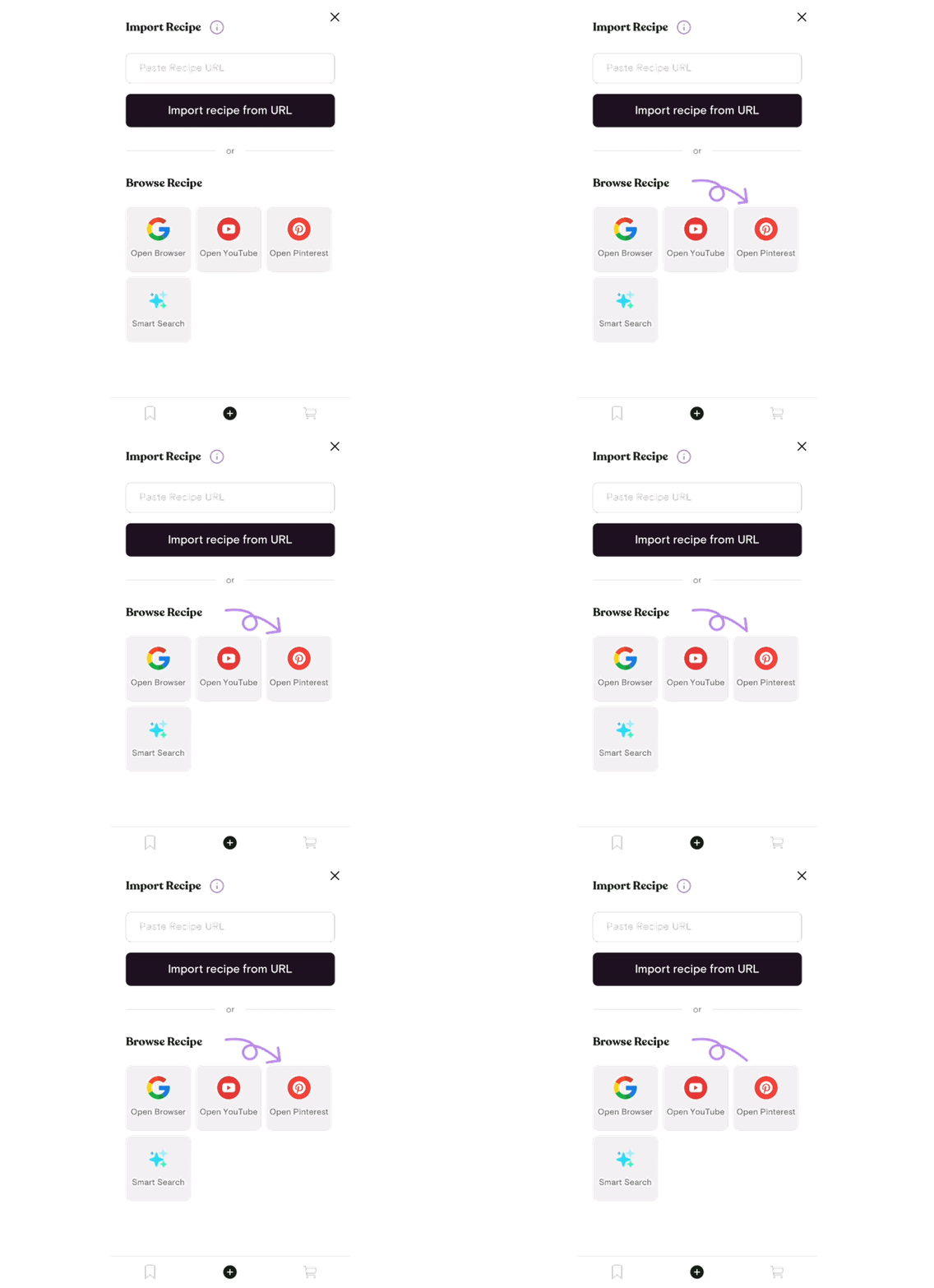
Method 2: Use the in-app Pinterest explorer
Prefer to stay in Souschef? There is a built-in Pinterest explorer.
- Open Souschef and tap +.
- Tap the Pinterest logo.
- Browse until you find a recipe pin, then import it.
- Wait for the notification, then check the result.
Method 3: Paste a Pinterest URL
If you already copied the pin, skip the share sheet:
- Copy the pin URL from Pinterest or your browser.
- Open Souschef, tap +, and choose Import from URL.
- Paste the link and start the import.
- Review and edit anything the pin did not clearly include.
What you can do after a Pinterest import
Pinterest is excellent for inspiration. Souschef is where that inspiration becomes dinner:
- Search and organize the recipe with the rest of your collection
- Edit ingredients or steps
- Scale servings
- Add ingredients to a shopping list
- Cook from the recipe instead of juggling screenshots, links, and notes 📌
Not every pin contains a complete recipe. If the creator left out quantities or steps, the import may be incomplete. Always review temperatures, timings, and amounts before cooking.
Frequently asked questions
Does Souschef import every Pinterest pin?
Souschef can import from a pin via share, the in-app explorer, or a pasted URL. The result is only as complete as the recipe information in that pin.
Can I use this on iPhone and Android?
Yes. The full Souschef app is available on iPhone, iPad, and Android.
Is Pinterest import free?
Souschef is free to download, and every feature is available on the free plan, which includes five saved recipe imports per rolling seven days. See how the free plan and Souschef Plus compare.
Turn the next saved pin into dinner
The next time a Pinterest recipe looks too good to lose, send it to Souschef instead of leaving it on a board. You will get an editable recipe that sits alongside recipes from Instagram, TikTok, YouTube, and the rest of your kitchen notes.
If you are comparing apps, start with apps that save social recipes and Souschef vs ReciMe.
Get Souschef for iPhone and iPad or download Souschef for Android. Happy cooking! 🍽️